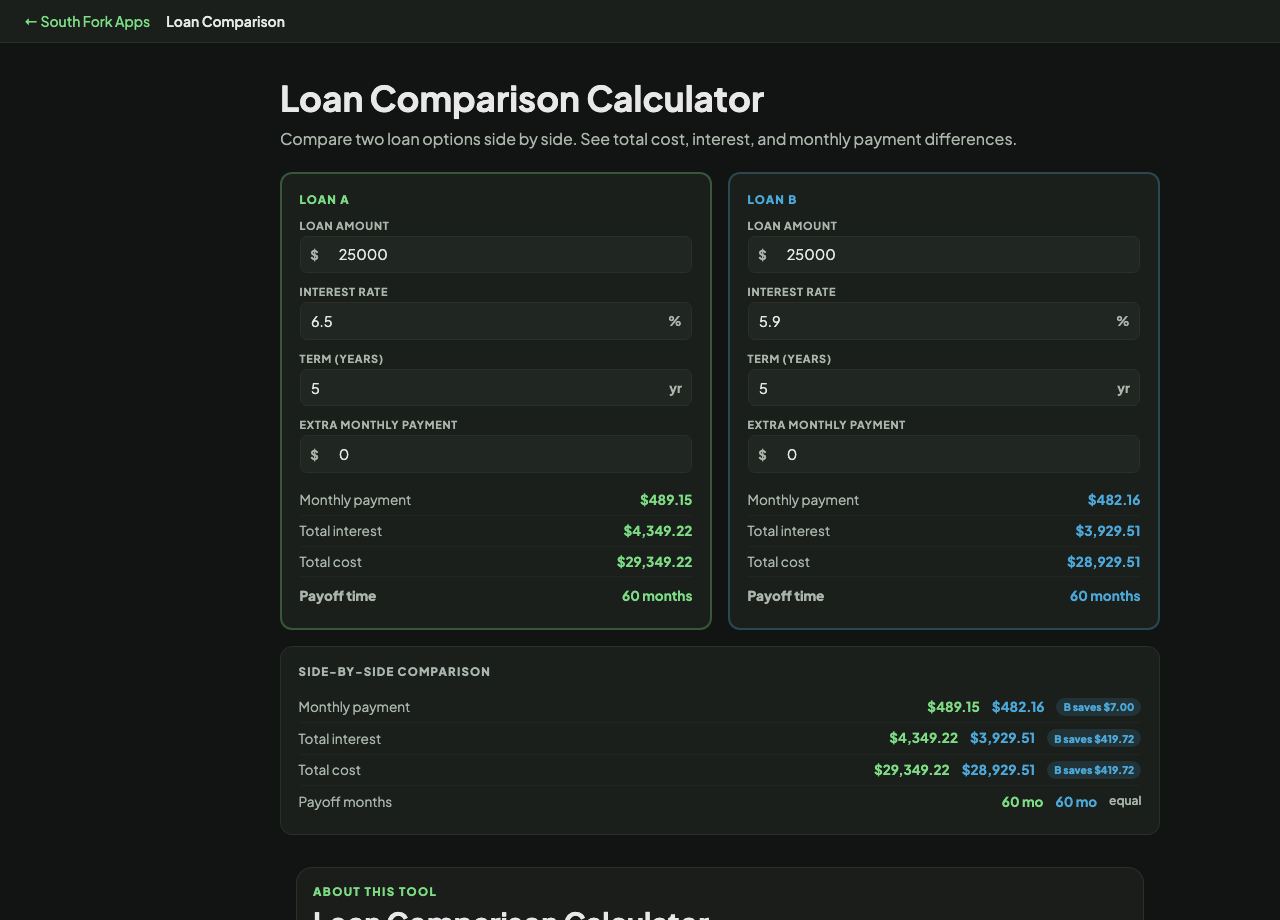
Loan Comparison Calculator
Compare two loan options side by side. See total cost, interest, and monthly payment differences.
Loan Comparison Calculator
Loan Comparison puts two loans side by side, with different rates, terms, amounts or extra payments, and shows the monthly cost and the total cost of each.
How to use it
- Enter the amount, rate, term and any extra monthly payment for Loan A.
- Do the same for Loan B.
- Compare the monthly payments and, more importantly, the totals.
Monthly payment is the wrong comparison
Lenders compete on monthly payment because it is the number borrowers react to, and it is the easiest number to make look good. Extending the term lowers the monthly payment on any loan while increasing what you pay overall.
Total cost over the life of the loan is the honest comparison. Compare monthly payment only when the two loans have identical terms, and even then check the total, because fees and rate differences show up there.
Worked example
The default comparison, same amount and term, 0.6 points of rate apart:
- Loan A$25,000 at 6.5% over 5 years
- Loan B$25,000 at 5.9% over 5 years
- Monthlyabout $489 versus about $482
Result: Roughly $7 a month, which looks trivial, but about $416 over the life of the loan.
When it helps
- Comparing two real offers before signing.
- Seeing what a rate difference is worth in dollars rather than percentage points.
- Testing whether a shorter term is affordable.
- Modelling what overpaying does to each option.
Common mistakes
- Comparing loans with different terms on monthly payment. The longer one always looks cheaper and usually is not.
- Ignoring fees. Origination and arrangement fees do not appear in the rate but do appear in what you pay.
- Comparing an advertised rate to a quoted one. Advertised rates assume the best credit profile.